Lock Out Tag Out for Electrical Safety: Secure Isolation with Marechal Solutions
Published 27 Feb 2026
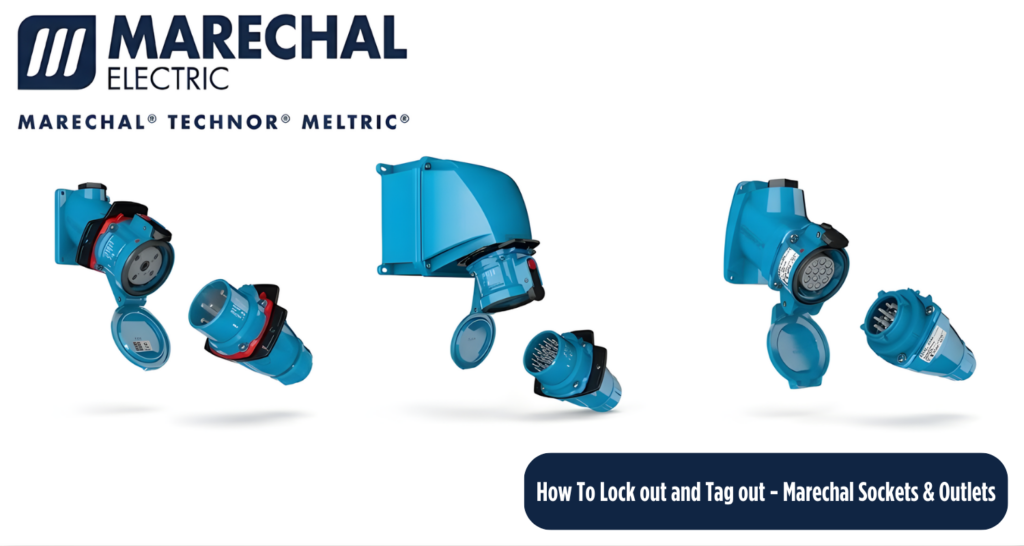
How to Lock Out and Tag Out a Marechal Socket Outlet
Electrical safety is a critical priority in industrial environments. When servicing or maintaining equipment connected to a power source, proper Lock Out Tag Out (LOTO) procedures are essential to prevent accidental energisation.
This guide explains how to safely lock out and tag out a Marechal socket outlet, ensuring compliance with site safety requirements while protecting personnel from electrical hazards.
Why Lock Out and Tag Out a Marechal Socket Outlet?
Marechal socket outlets are engineered for safety and reliability, however all electrical systems must be correctly isolated before maintenance or servicing begins.
Lock Out Tag Out helps to:
- Prevent unintended reconnection of power
- Protect personnel from electric shock or arc flash
- Clearly communicate isolation status
- Support workplace safety compliance
- Maintain safe control of electrical energy
When Is Lock Out Tag Out Required?
A Marechal plug socket outlet should be locked out whenever:
- Maintenance, inspection or repair work is taking place
- Connected equipment is being serviced or modified
- There is risk of unexpected energisation
- The outlet or plug is damaged
- Temporary electrical isolation is required
Equipment Required
Step-by-Step: Locking Out a Marechal Socket Outlet
1. Identify the Correct Socket Outlet
Confirm the socket outlet supplying power to the equipment and verify the correct isolation point before proceeding.
2. Notify Affected Personnel
Inform nearby workers and responsible personnel that isolation will take place to prevent accidental reconnection.
3. Disconnect the Plug
Safely unplug the Marechal connector and ensure all connected equipment has stopped operating.
4. Apply the Lockout Device
Install the lockout device over the socket outlet to physically prevent reinsertion of a plug.
5. Secure with a Safety Padlock
Attach your personal safety padlock. Only the person carrying out the work should retain the key.
6. Attach the Lock Out Tag
The lock out tag should clearly display:
- Warning message such as “Do Not Operate”
- Name of responsible person
- Date of isolation
- Reason for lockout
This provides clear visual communication across the worksite.
7. Verify Isolation
Confirm the outlet cannot be energised by testing that a plug cannot be inserted or power restored.
8. Carry Out Maintenance Work
Once isolation is verified, maintenance or servicing can safely proceed.
9. Removal of Lock Out and Tag
- Ensure tools and personnel are clear
- Confirm the area is safe
- Remove lock and tag personally
- Notify personnel before re-energising